
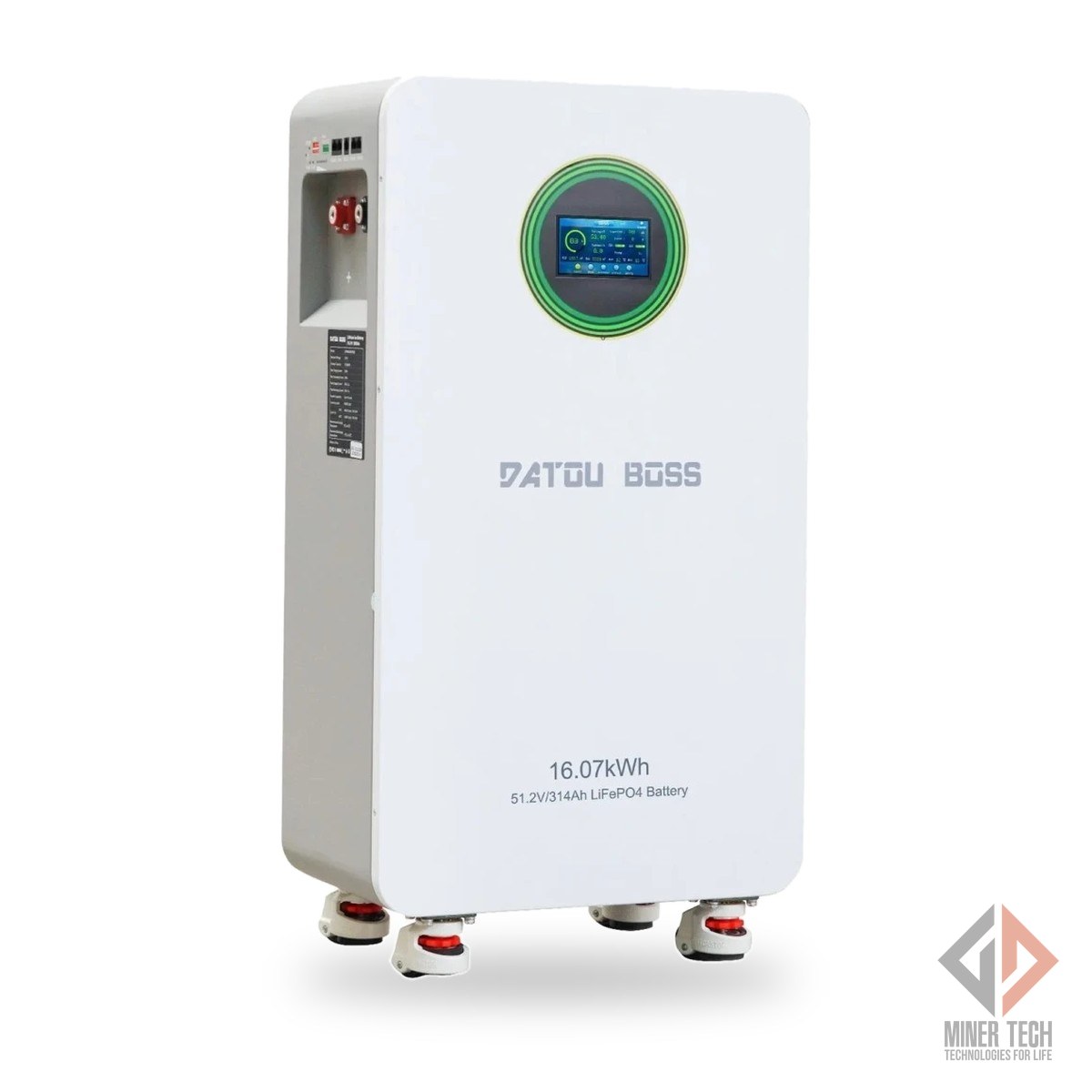
How to connect our battery to a Deye inverter: cable, protocol and settings
The question we hear most often from owners of Deye inverters: “Will your battery really work with my inverter?” Yes, it will, if you connect the communication cable correctly and set a few parameters. Here we explain how to do it: which Deye inverter is suitable, which cable you need, what to set on the battery and on the inverter, how to check that communication works and what to do if the inverter shows an error. For each of our batteries with a communication protocol there is a separate step-by-step guide; the links are at the end of the article.
Why the battery and the inverter need to communicate
A LiFePO4 lithium battery has its own control board, the BMS. It knows the exact charge of each cell, the temperature and the current allowed at that moment. When the battery and the inverter are linked by a communication cable (CAN or RS485), the BMS itself sends the inverter:
- the real state of charge (SOC) as a percentage, not an estimate based on voltage;
- the charge voltage and current that are safe for the battery right now. In winter, when the cells are cold, the BMS reduces the current by itself;
- alarm signals: overheating, overcharge, deep discharge. The inverter stops charging or discharging before the BMS protection trips.
Without communication the inverter works “blind”, by voltage. LiFePO4 holds almost the same voltage from 20 to 90% charge, so the percentage on the screen jumps, and the battery is undercharged or shuts down unexpectedly. With communication all of this disappears.
Which Deye inverters are suitable
Our 48 V (51.2 V) batteries work with low-voltage Deye hybrid inverters. Their name contains “LP” (low voltage, battery voltage 40–60 V):
- single-phase SUN-…-SG03LP1, SG04LP1, SG05LP1, SG01LP1 (3 to 16 kW);
- three-phase SUN-…-SG04LP3 and SG05LP3 (5 to 20 kW).
Inverters with “HP” in the name (high-voltage, 160–800 V battery) are not suitable for our batteries.
The 24 V (25.6 V) battery works with only one Deye inverter: the SUN-3K-SG04LP1-24-EU (3 kW, 20–30 V battery). Other Deye models are designed for 48 V.
The exact model is shown on the label on the side of the inverter housing or in the System Setup → Device Info menu.
Which of our batteries have been tested with Deye
| Battery | Voltage | Link | Protocol on the battery | Lithium Mode in Deye |
|---|---|---|---|---|
| DATOU BOSS 5.12 kWh (3U rack) | 51.2 V | CAN | DEYE CAN (or Pylon CAN) | 00 |
| MFUZOP / GP-48314S 16.07 kWh | 51.2 V | CAN | Deye (or Pylon) | 00 |
| Braun Power 32 kWh (cabinet) | 51.2 V | RS485 | PYLON (014 in JK BMS) | 12 |
| DATOU BOSS 8.03 kWh (wall-mounted) | 25.6 V | CAN | Pylon (factory setting) | 00 |
The Lithium Mode codes are taken from Deye’s official list of compatible batteries: 00 = Pylon protocol over CAN, 12 = Pylon protocol over RS485.
Communication cable: an ordinary straight-through RJ45
On a Deye inverter the communication cable plugs into the socket marked BMS or RS485/CAN (do not confuse it with Meter and Parallel). On the battery, use the CAN port (or RS485 for the Braun, and RS485/CAN for the DATOU BOSS 8.03).
You need an ordinary Cat5e/Cat6 network cable with both ends crimped to the same scheme (T568B — T568B), i.e. straight-through, not crossover. The pinout of Deye and of our batteries is the same: CAN on pins 4 and 5, RS485 on 1–2 (duplicated on 7–8), ground on 3 and 6. No adapters or “special” cables are needed.
Put the ferrite ring from the Deye kit on the communication cable near the inverter (4 turns of cable). It protects the link from interference.
What to set on the battery
- Address. If there is one battery, set address 1 (master unit) on the DIP switches. On the Braun cabinet, for a single unit all ADD switches are off (address 0). For several batteries the addresses are different; the diagrams are in the manuals.
- Protocol. Check that the protocol for Deye is selected on the battery: on the MFUZOP display, CAN-PCS = Deye; on the GP-48314S, CAN DEYE; in the JBD BMS app for the DATOU BOSS, Inverter Protocol = DEYE CAN or Pylon; in the JK BMS app for the Braun, UART1 Protocol 014 PYLON. On the DATOU BOSS 8.03 the Pylon protocol is set at the factory.
- Charge. Before the first connection the battery should be charged to at least 20–30%.
What to set in the Deye inverter
On the main screen, tap the gear icon → System Setup → Battery Setting.
- Batt Mode → Lithium. Only in this mode does the inverter read data from the BMS.
- Batt Capacity: battery capacity in Ah (for example, 314Ah; for two identical batteries, twice as much).
- Max A Charge / Max A Discharge: maximum charge and discharge current. The recommended values for each battery are in its guide; there is no point setting more than the inverter can handle.
- On the second page: Lithium Mode: 00 for CAN or 12 for RS485 (see the table above).
- Shutdown 10%, Low Batt 20%, Restart 40%: the thresholds at which the inverter stops discharging, warns you and switches battery power back on.
- In System Setup → Advanced Function, tick BMS_Err_Stop: if communication with the BMS is lost, the inverter stops working with the battery instead of running blind.
How to check that communication works
30–60 seconds after switching on, open the battery page Batt on the main screen and tap Li-BMS. If communication works, you will see the data sent by the BMS: voltage, current, temperature, SOC, as well as Charging Voltage and Charging/Discharging current. The SOC matches the battery’s display or app, and there is no F58 error. Then do a test run: switch on a 1–2 kW load and make sure the battery discharges, and charges when grid or solar power is available.
Several batteries with one Deye
The batteries are connected in parallel with power cables of equal length and with communication cables between them. The inverter is connected by the communication cable only to the master unit (address 1, on the Braun 0). The master unit collects data from the others and sends the inverter the total SOC and current. In the inverter, enter the total capacity. Before connecting in parallel, charge all the units separately to 100% so that their voltage is the same.
Common errors
- F58 (BMS communication fault). The cable is plugged into the wrong port (Meter or Parallel instead of BMS), the cable is crossover or damaged, a different protocol is selected on the battery, or Lithium Mode does not match the port (00 for CAN, 12 for RS485).
- The Li-BMS page is empty, the SOC “jumps”. Batt Mode is not set to Lithium (for example, Use Batt V), so the inverter does not read the BMS.
- The battery does not charge. The BMS has allowed a charge current of 0 A: the battery is colder than 0 °C, fully charged or in an alarm state. Check the reason in the app or on the battery display.
- The inverter does not see the battery at all. Wrong voltage: a 48 V battery on a 24 V inverter (or vice versa), or a high-voltage “HP” inverter.
- Only one unit is visible in parallel. The units have the same address, or the communication cable between the units is plugged into the wrong ports.
Summary
Our battery and a Deye inverter are connected with an ordinary straight-through network cable, and setup takes 10–15 minutes: address and protocol on the battery; Lithium, capacity, currents and Lithium Mode 00 or 12 on the inverter. Detailed steps with screen pictures, the pinout and parallel connection diagrams are in a separate guide for each battery.
Not sure your inverter is suitable, or the battery does not see the link? Call us: 093 293 93 93, 099 054 40 38. MinerTech engineers will advise you or do a turnkey installation in Dnipro.
Deye connection guides (PDF)
- Battery DATOU BOSS 51.2 V 100 Ah 5.12 kWh: connection to Deye
- Battery MFUZOP / GP-48314S 51.2 V 314 Ah 16.07 kWh: connection to Deye
- Battery DATOU BOSS 25.6 V 314 Ah 8.03 kWh: connection to Deye 24 V
- Battery Braun Power 51.2 V 628 Ah 32 kWh: connection to Deye
See the catalogue
- Battery DATOU BOSS 51.2 V 100 Ah 5.12 kWh
- Battery MFUZOP 51.2 V 314 Ah 16.07 kWh
- Battery GP-48314S 51.2 V 314 Ah 16.07 kWh
- Battery DATOU BOSS 25.6 V 314 Ah 8.03 kWh
- Battery Braun Power 51.2 V 628 Ah 32 kWh
Read also
Deye is a trademark of its owner; it is mentioned only to indicate compatibility.